See exactly what changed between two deck versions
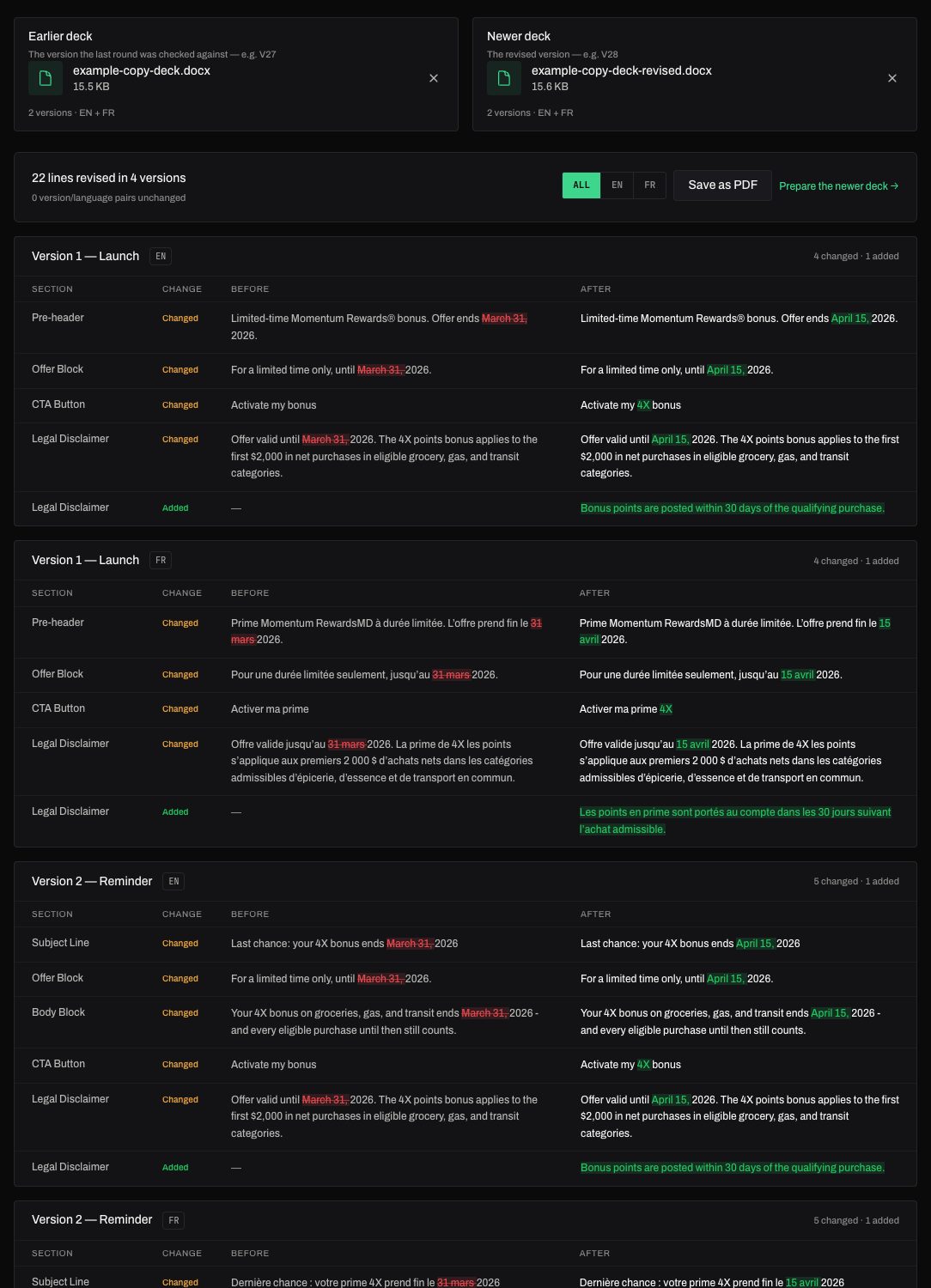
A revised deck lands and the round has to re-check what moved. Deck compare lines both versions up and shows every changed, added and removed line, per version and per language, with the changed words marked.
What you get
- Every changed line with the old and new words highlighted
- Added and removed lines, and versions that exist in only one deck
- A new translation folded into one summary instead of hundreds of "added" lines
- The page saved as a PDF, exactly as it looks, for the round's record
How it works
- Drop the earlier deck (the one the last round was checked against).
- Drop the newer, revised deck.
- Read the changes version by version, filter by language, and save the page as a PDF.
Frequently asked questions
- Does it compare French too?
- Yes. Each version is compared in each language on its own, and you can filter to English or French.
- Can I share the result?
- Save as PDF prints the page as it is, on white, with the changed words still marked — ready to attach to the round.
More tools
The tools are part of SendLint, which checks every email in a campaign against its copy deck and creative — every version, both languages, every round. See SendLint.